

MATLAB、Simlink 和 Veristand 环境安装
HIL 环境搭建

1 min read

软件安装
LabVIEW 2019
md
编程环境 LabVIEW (32位)中文版附加软件 LabVIEW Mathscript模块(32位)中文版 LabVIEW Control Design and Simulation 模块(32位)MATLAB 2018
md
MATLAB Simulink Stateflow Vehicle Network Toolbox MATLAB Coder Simulink Coder Embedded CoderVeriStand 2019 R3(❗Veristand 必须最后安装)
md
应用软件 Veristand附加软件 用于LabVIEW 2019的 Veristand Model Generation 支持 Veristand Model Framework其他环境安装
- Win 10 SDK https://developer.microoft.com/en-us/windows/downloads/windows-10-sdk/
- ni-labview-2019-model-interface-toolkit
- MinGW-W64 !!!需要添加到系统变量,非用户变量 。所需安装文件: mingw.mlpkginstall 。打开MATLAB R2018a,在路径中选择文件所在的当前文件夹,双击安装。 安装完成后需要关闭MATLAB再重新打开
✔️确认
打开MATLAB R2018a命令行窗口会出现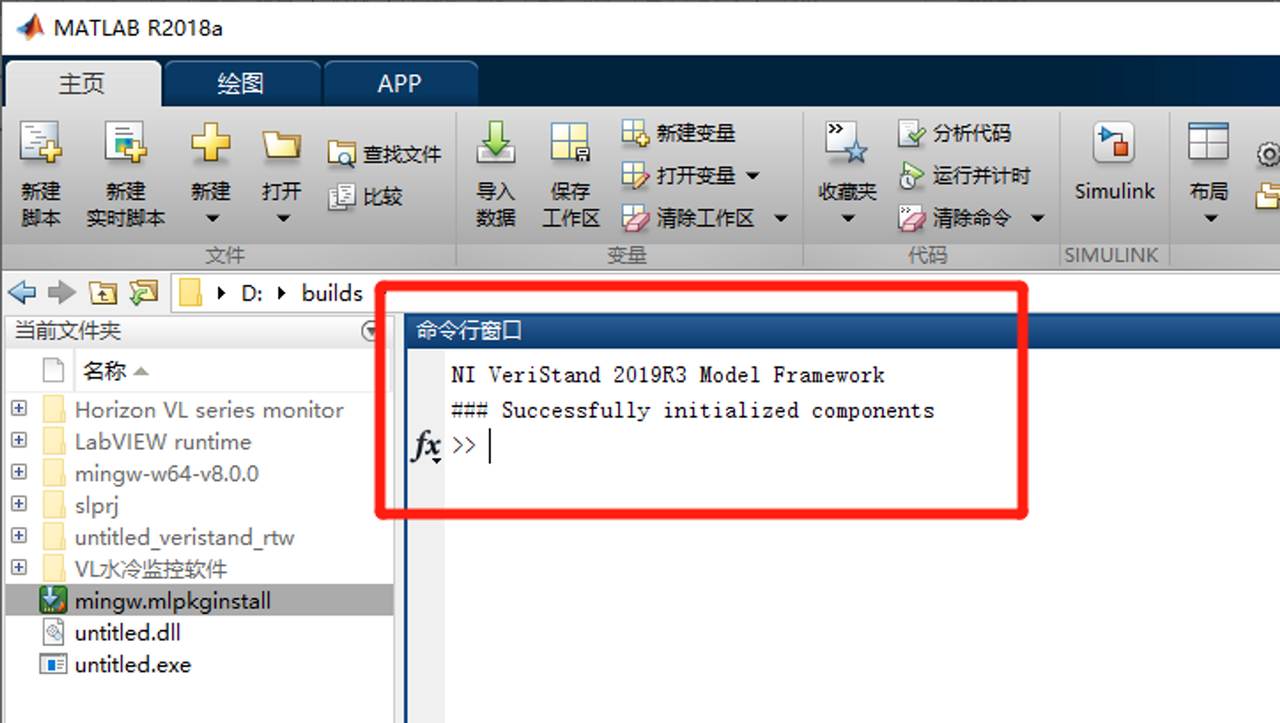
bash
NI VeriStand 2019R3 Model Framework Successfully initialized components >>- 打开 simlink 新建 Blank Model。
- 查看 Library Browser 中是否有 NI VeriStand Blocks
- 编写一个加法模型
- 输出设置
- 选择 Simulation » Configuration Parameters 打开设置选项窗口
md
点击 Solver 选项 a) 设置 Stop Time 为 inf. b) 设置 Solver Type 为 Fixed-Step. c) 设置 Solver 为 Discrete. d) 点击 Apply 保存 点击 Code Generation 选项 a) 点击 System Target File行的 Browse 按钮选择 Veristand.tlc,点 apply 再点 OK按钮 b) 在 toolchain 下拉菜单中选择 Veristand compiler for Windows targets | gmake makefile (64-bit Windows)) c) 点击 Apply 保存改动. d) 再点击 OK . 点击 NI configuration 选项 a)勾选 Disable all stateflow signals b)apply and OKTags
#MATLAB
#Simlink
#Veristand